See what needs you.
Every coding agent, on every machine, on one screen. Answer their questions from your phone and get back to your day.
Install freeFree and open source. macOS, Linux and Windows WSL.
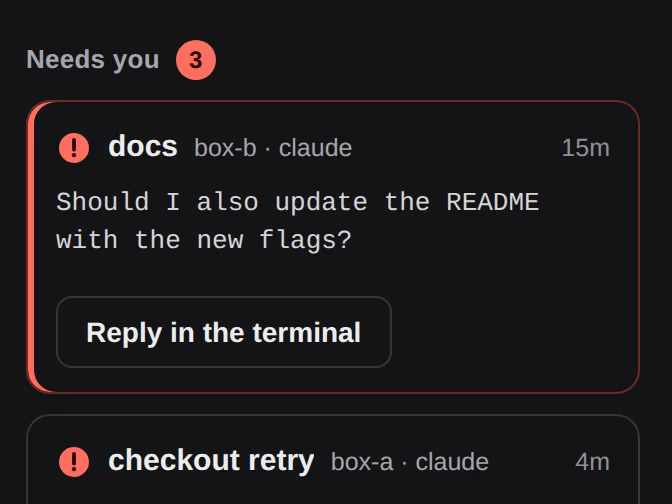
Stop checking terminals. Let the questions come to you.
SEE
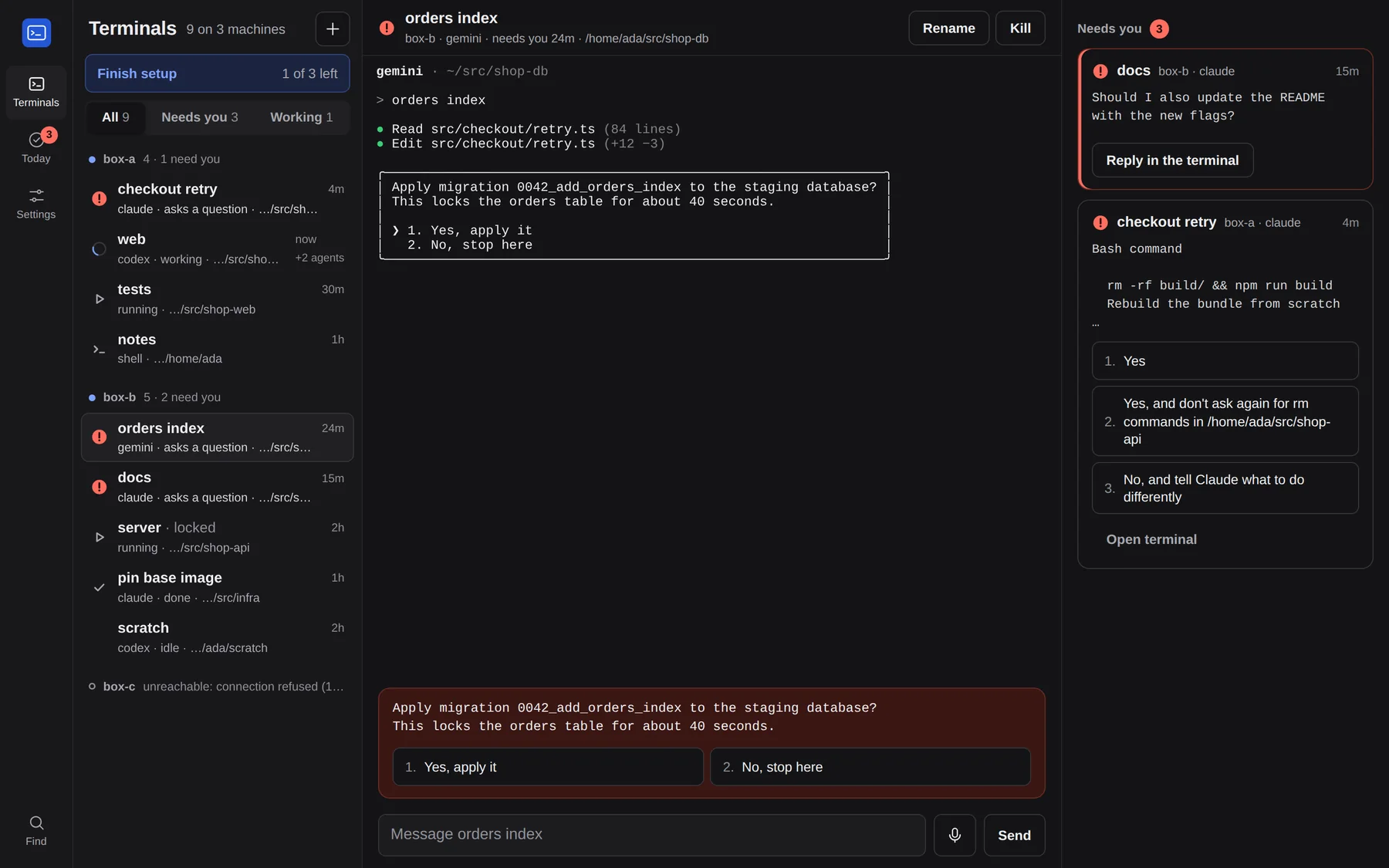
Every terminal on one screen.
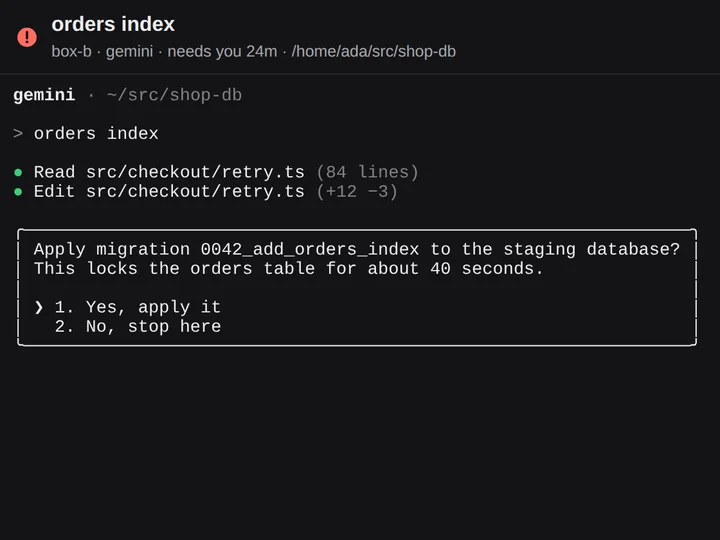
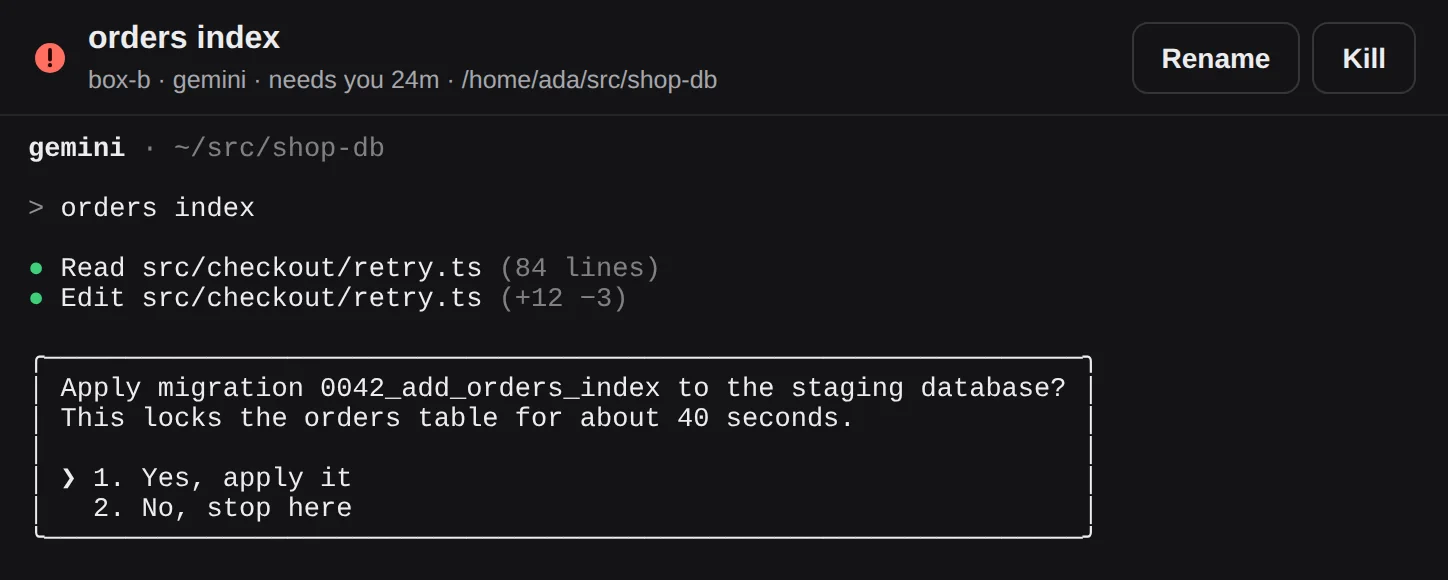
VibeOverview reads the tmux sessions on every machine you connect. Claude Code, Codex and Gemini CLI each show whether they are working, idle or waiting for you.
- Claude Code, Codex and Gemini CLI side by side
- Mac, Linux and WSL machines in one list
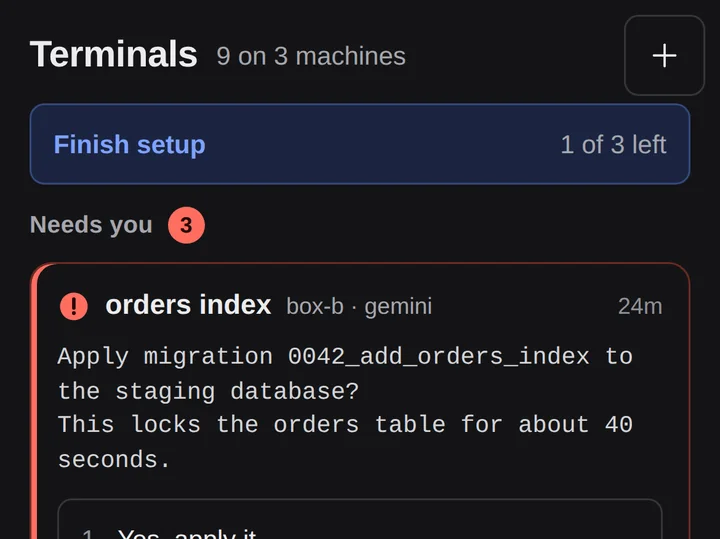
- The terminals that need you come first
ANSWER
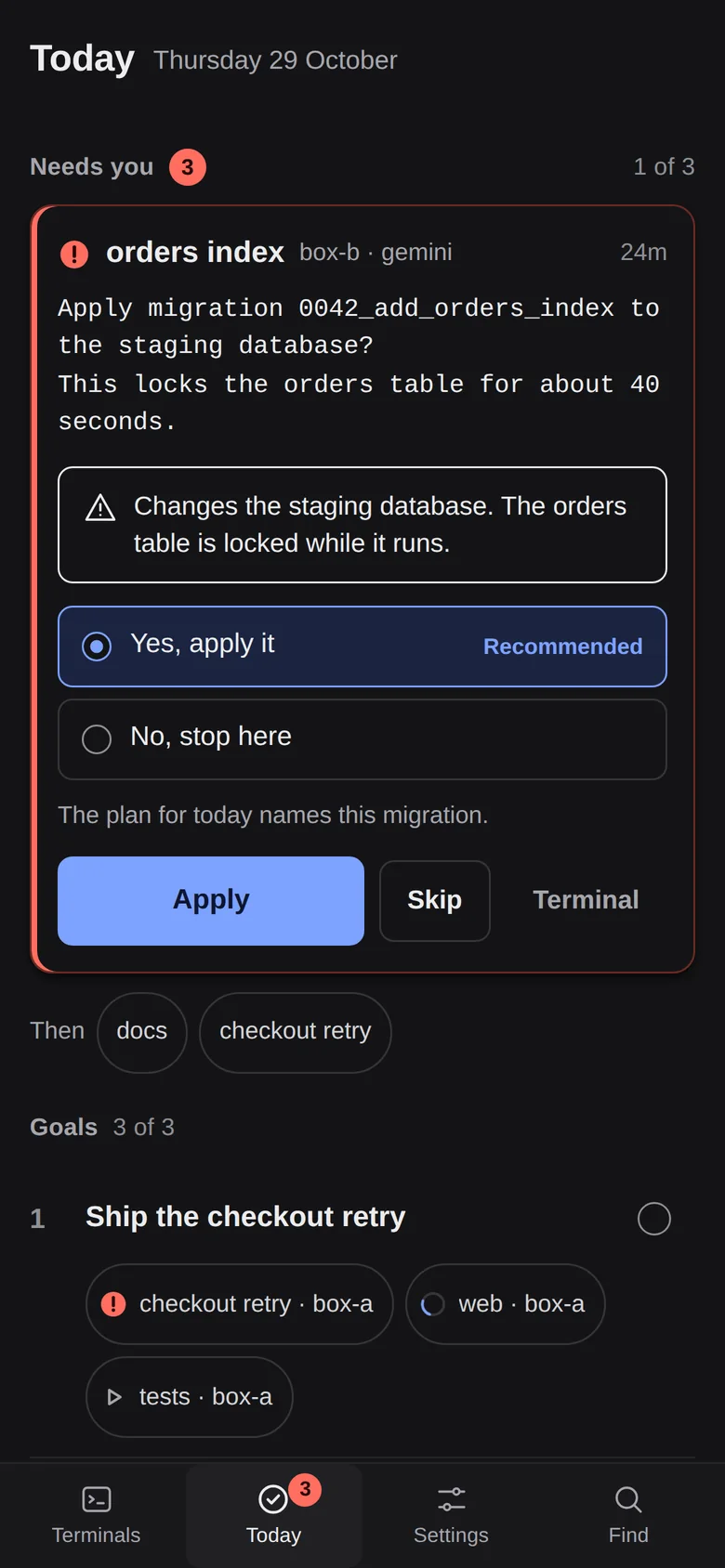
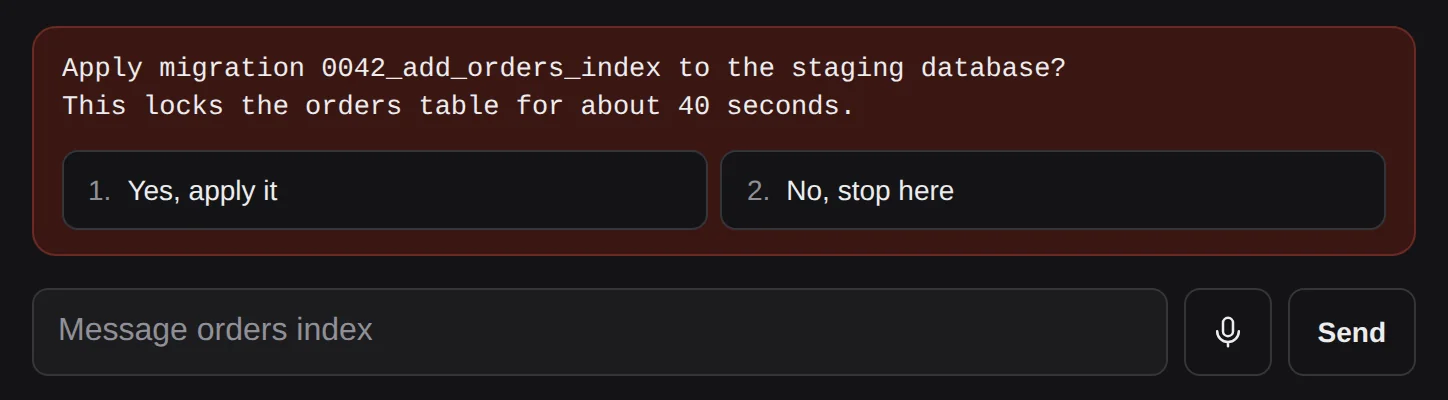
Answer from your phone.
A question arrives as a card with its choices, word for word. Tap one and it reaches the terminal as if you had typed it at the keyboard.
- Ten seconds to undo before anything is sent
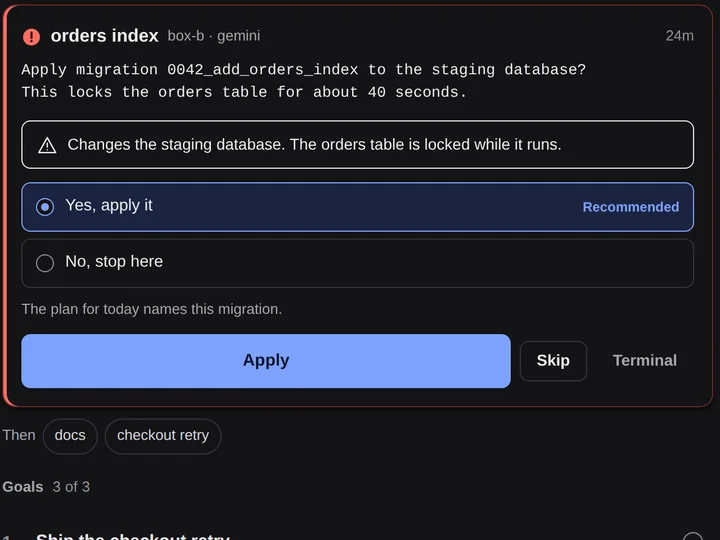
- Risky answers ask you to confirm first
- If the question changes, nothing is sent
TODAY
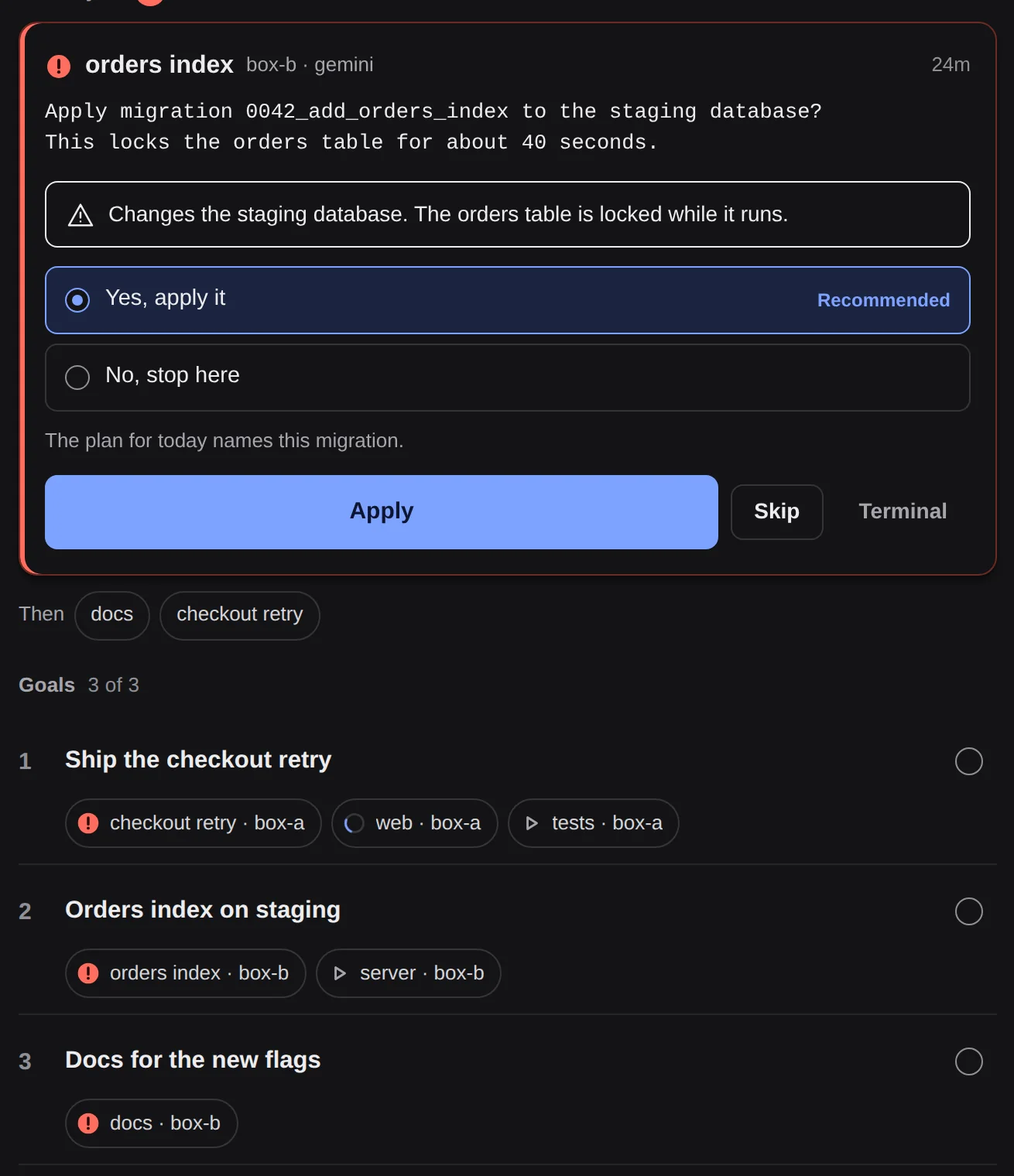
Keep the day's goals in view.
Keep up to three goals open and attach terminals to them. Today shows the next question to answer, then what is still working on each goal.
- Three open goals at a time
- Each goal lists the terminals working on it
- One question at a time, the rest lined up after it
VOICE
Say it instead of typing.
Hold the microphone, speak your reply, and read the text before it goes. Use ElevenLabs or OpenAI with your own key, or Whisper on your own machine.
- Dictate a reply to any terminal
- Your own speech key, never ours
- Local Whisper keeps the audio on your machine
One command on each machine.
Open Terminal and paste the line. It installs VibeOverview for your user, starts it, and asks before it connects Claude Code and Codex.
curl -fsSL https://vibeoverview.com/install.sh | shmacOS 13 or later, Apple silicon or Intel. Linux and Windows WSL too. Needs tmux; on a Mac the installer offers to add it with Homebrew.
- Installs for your user. VibeOverview needs no admin rights; adding tmux on Linux may ask for sudo.
- Checked download. The package must match its published checksum.
- Yours to run. Your terminals stay on your machines.
Questions, answered.
Something else? Read the docs
Is VibeOverview free?
Yes. The self-hosted core is free and open source under AGPL-3.0: the server, the agent, the web app and the phone view. Pro and Cloud add extras, listed on the pricing page.
Which agents does it understand?
Claude Code, Codex and Gemini CLI, including their permission questions. Any other tmux terminal shows up too, with its output.
Do my terminals leave my machine?
No. The server runs on your own machine and talks to an agent on each machine you connect, and nothing passes through our servers. Two extras are yours to switch on: push through ntfy.sh sends the question text there, and a cloud voice engine sends your audio to ElevenLabs or OpenAI. Run your own ntfy server and local Whisper to keep everything at home.
How do I use it on my phone?
Reach your server from your phone over HTTPS, on your home network or a tailnet, and add it to the home screen. Push notifications work through ntfy. Native iPhone and Android apps are on the way.
What if a question changes before I answer?
Nothing is sent. Every answer is tied to the exact question you saw, and you have ten seconds to undo it.
Get back to your day.
Install the free core today. Pro and Cloud open later; leave your email for one note when they do.
Install free